What Kitchen Management Software Do Small Restaurants Actually Use?
If you're running a small restaurant and wondering what kitchen management software other operators use, the honest answer is: mostly spreadsheets, WhatsApp groups and handwritten notes. The gap between the software marketed at the hospitality industry and what small restaurants actually use in practice is wide. Here's an accurate picture of what's out there, what small operations genuinely need, and what's worth your time and money. See our guide to what software restaurants use.
The honest answer: mostly pen, paper and spreadsheets
The kitchen management software market is large and noisy. There are dozens of tools targeting the restaurant industry — some of them genuinely excellent for the operations they're built for, most of them priced and designed for groups and chains rather than independent operators. The result is that the majority of small restaurants, bistros, cafés and takeaways are still running on a patchwork of spreadsheets, notebooks, printed prep lists and verbal communication.
This isn't because small restaurant operators don't want better tools. It's because most of the tools that get marketed to them are either too expensive, too complex, too enterprise-focused, or simply designed for a problem slightly different from the one they actually have. A system built for a chain of fifty pubs managed by a head of operations with a procurement team is not the right tool for a seven-table neighbourhood restaurant run by its owner.
Understanding this gap is the starting point for making a good software choice. The right question isn't "what's the most popular kitchen management software?" It's "what's the right kitchen management software for an operation my size?"
What kitchen management actually means day-to-day in a small restaurant
In a small restaurant kitchen, "management" breaks down into a handful of recurring tasks that eat time and create stress when they're not handled well:
- Recipe standardisation — making sure every dish is cooked the same way every time, regardless of who's on that day. Written recipes that are actually followed, not reconstructed from memory.
- Food cost control — knowing what each dish costs to produce, and pricing the menu accordingly. Not guessing. Not using last year's prices. Knowing, accurately, in real time.
- Stock and ordering — knowing what ingredients you have, what you'll need for the week's service, and getting the order right without over- or under-buying.
- Allergen management — knowing what's in every dish, being able to answer customer questions accurately, and producing the documentation required by law.
- Production scheduling — knowing what prep needs to happen and when, especially for dishes that require advance preparation like slow-cooked elements, cured items, or baked components.
These tasks are all interconnected. Food costs depend on accurate recipes. Stock orders depend on production plans. Allergen compliance depends on knowing every ingredient in every dish. When you try to manage them with separate tools that don't talk to each other, you spend as much time keeping the tools in sync as you do actually running the kitchen.
What small restaurants actually need from kitchen software
Based on what small restaurant operators consistently struggle with, here are the features that deliver real value — not the features that look impressive in a demo:
A connected recipe and ingredient library
Every dish built from a library of ingredients, each carrying its cost and allergen information. When you change an ingredient — switch supplier, update a price, swap a component — the change flows through to every dish automatically. This single feature eliminates most of the manual maintenance overhead that makes spreadsheet-based systems so time-consuming.
Accurate, real-time food costing
Every dish has a calculated food cost, not an estimated one. When ingredient prices change — and they do, regularly — costs update automatically. You can see instantly which dishes are being squeezed, which have healthy margins, and where to focus pricing decisions. This is the information that turns gut-feel menu management into data-informed decision making.
Stock that tracks itself
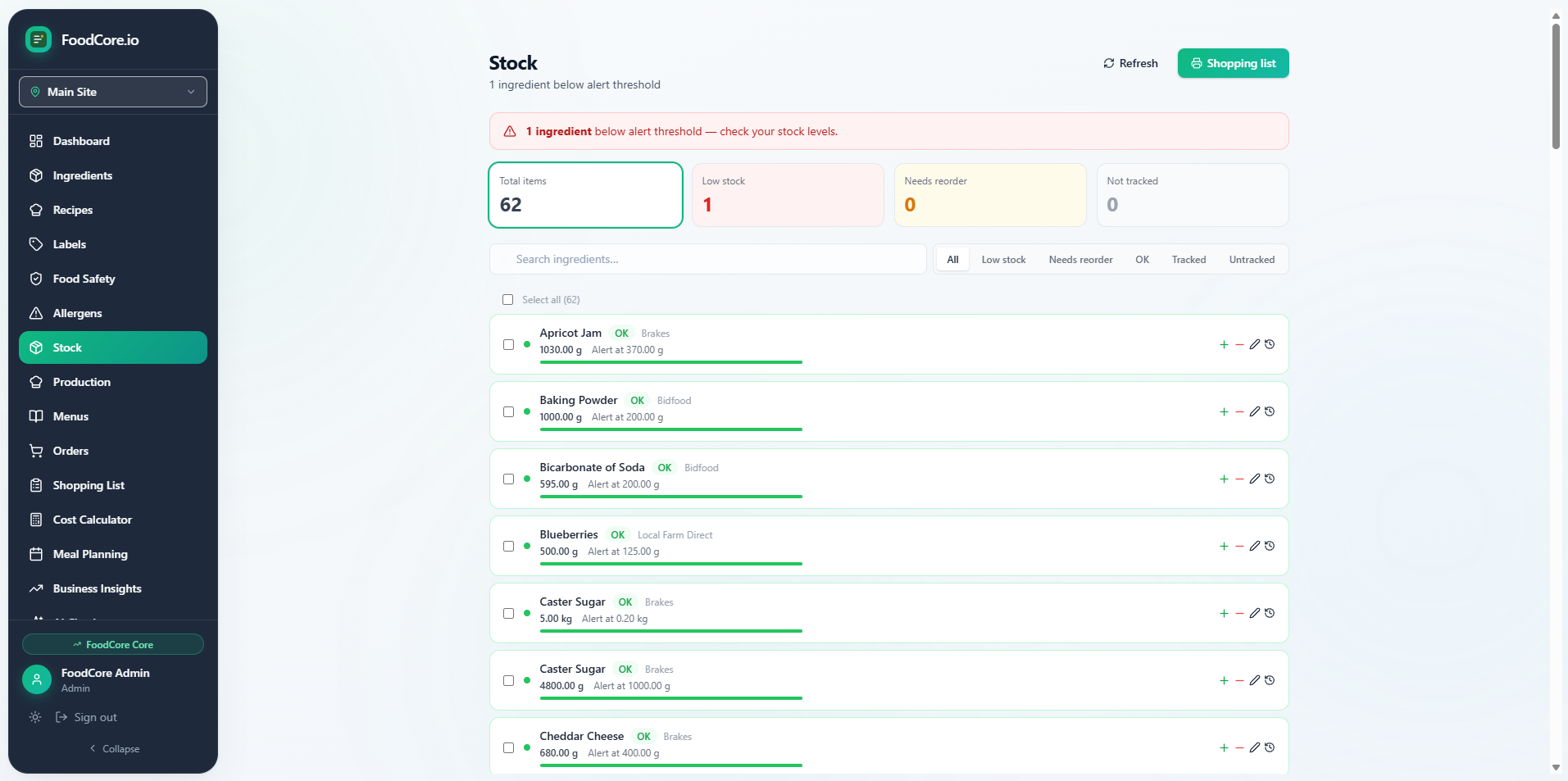
Rather than manually updating stock levels after every service, the system deducts ingredient quantities automatically based on what was produced. Deliveries are logged when they arrive. Low-stock alerts flag what needs ordering before you run out mid-service rather than after. You can read more about what this looks like in practice in our kitchen management software guide.
Allergen information that flows automatically
Every ingredient carries its allergen data. Every dish inherits allergens from the ingredients used to make it. Staff can look up any dish at any point and give an accurate allergen answer. If a dish changes — even a minor ingredient swap — the allergen information updates automatically. No stale printed menus with handwritten corrections. No staff relying on memory for information that has legal and safety implications.
Supplier shopping lists without the manual work
Based on current stock and planned production, the system generates a shopping list by supplier. Instead of spending Sunday evening compiling the weekly order from scratch, you review a pre-populated list, adjust quantities where needed, and send it. The process that used to take an hour typically takes ten to fifteen minutes.
Tools that come up — and what they're actually for
Several tools come up regularly in conversations about kitchen management software. Understanding what each is genuinely built for helps you filter quickly:
- Kafoodle — allergen management for large food service operations. Multi-site, enterprise pricing, no recipe costing or label printing for small operations. Not designed for independent restaurants.
- Nutritics — nutritional analysis software with strong clinical and enterprise roots. Useful for operations where detailed nutrition declarations are the primary requirement. Complex for small kitchens.
- Jelly — recipe management and nutritional analysis with reasonable allergen tracking. Weaker on production management, stock tracking and ordering. A good fit if nutrition analysis is your priority.
- ChefDesk — kitchen management focused on professional kitchen operations and menu costing. Stronger on the restaurant-facing side but limited on allergen label production and small business pricing.
- Spreadsheets — flexible, free, and the default for most small restaurants. They work until they don't, and the failure modes are consistent: manual updates that get skipped, formulas that drift, allergen information that goes stale.
Our ranked comparison of kitchen management software for UK food businesses in 2026 covers these tools side by side with honest assessments of each.
The enterprise gap: why most tools don't fit small restaurants
The kitchen management software market developed primarily around the needs of large food service operations — contract caterers, hotel groups, chain restaurants — where centralised procurement, multi-site management and enterprise integrations are genuine requirements. The pricing and complexity of these tools reflects that history.
Small restaurant operators who encounter these tools during their software search find them confusing, expensive and over-engineered for their actual needs. A seven-table restaurant doesn't need multi-site management. A kitchen team of four doesn't need a dedicated implementation consultant. And no independent operator should be expected to pay enterprise-level pricing for a product that solves problems they don't have.
The right software for a small restaurant is designed around the reality of small restaurant operations — lean teams, constrained budgets, and owners who are also the head chef, the buyer, the compliance officer and the manager simultaneously. It should be fast to set up, easy to maintain, and priced at a level where the time it saves clearly outweighs what it costs.
A real-world example: a small café kitchen gets organised
Consider a neighbourhood café — eight tables, open five days a week, a menu of around thirty dishes including baked items made in-house each morning. Before adopting kitchen management software, the kitchen ran on printed recipe cards, a weekly stock check done by hand, and an order written in a notebook every Sunday. Allergen information was maintained on a laminated sheet pinned to the wall and updated manually whenever the menu changed.
The problems were predictable. The laminated allergen sheet was outdated within weeks of the menu changing. The weekly stock check took two hours and was often inaccurate by the time Thursday's service arrived. Ingredient costs had been estimated at the start of the year and not updated since, meaning margin on several dishes had eroded significantly as ingredient prices rose.
After adopting purpose-built kitchen management software, the allergen information moved into the system and updated automatically whenever a recipe changed. Stock checks became a brief review of the system rather than a manual count. The weekly order dropped from ninety minutes to under twenty. And for the first time, the owner could see the actual current food cost of every dish on the menu — and discovered that three dishes needed repricing immediately.
The transition took one full day to set up the ingredient library and recipes. Within the first week of using it properly, it was clear the time saving was real and the operational visibility was something that couldn't be replicated with spreadsheets.
What to prioritise when you're ready to choose
When you start evaluating kitchen management software for your small restaurant, focus on these questions rather than feature counts:
- Does it connect recipes, ingredients, costs, stock and allergens in a single system — or are those managed separately?
- Is it designed for small operations, or is it an enterprise tool being sold down to you?
- Is pricing transparent, flat and inclusive of all the features you need?
- Can you be operational within a day or two, or does it require weeks of onboarding?
- Is there a trial period long enough to test it against your real recipes and a real service week?
Our kitchen management software guide goes deeper on how to evaluate options and what to look for at each stage of the decision.
The bottom line
Most small restaurants aren't using sophisticated kitchen management software — they're using tools that were never quite designed for them, or no tool at all. That's not a failure of the operators; it's a reflection of a market that for a long time didn't build software at the right size and price point for independent food businesses.
That's changing. The right tool for a small restaurant in 2026 is genuinely affordable, genuinely simple to set up, and genuinely designed for an operation where the owner is doing everything. The question is no longer whether kitchen management software makes sense for a small restaurant. It does. The question is which one actually fits.
FoodCore is kitchen management software for small UK food businesses — recipe costing, allergen tracking, stock management and supplier shopping lists, all in one place.
Start free trial →