How to Track Food Inventory Without Spreadsheets
The problem with spreadsheet inventory isn't that it's manual — it's that it's always out of date. Stock levels show what you had when you last updated the file, not what you have now. Here's how connected inventory tracking works instead. See our guide to bakery software versus spreadsheets.
Why spreadsheets fail for food inventory
Spreadsheets fail for food inventory for a specific reason that goes beyond "they're manual." The fundamental problem is that a spreadsheet is a snapshot — it shows you what your stock levels were when you last updated it, not what they are right now. See our guide to kitchen inventory management.
In a busy kitchen, stock changes constantly. Ingredients come in with deliveries. They go out when you produce batches. They get used in testing, in staff meals, in waste. Every one of these movements needs to be recorded for the spreadsheet to stay accurate. In practice, most businesses update their stock spreadsheet once a week, or once a month, or when they remember. The rest of the time, the numbers are wrong. See our guide to using Excel for kitchen inventory.
The second specific failure is batch multiplication. You have a recipe for 12 croissants that uses 500g of butter. You need to make 96 croissants. You multiply by 8 in your head — but the spreadsheet still shows the base recipe quantities. Your stock depletion calculation is wrong by a factor of 8 until someone manually updates it. Multiply this across 20 products and 50 ingredients and the numbers stop making sense entirely. See our guide to the 80/20 rule for inventory.
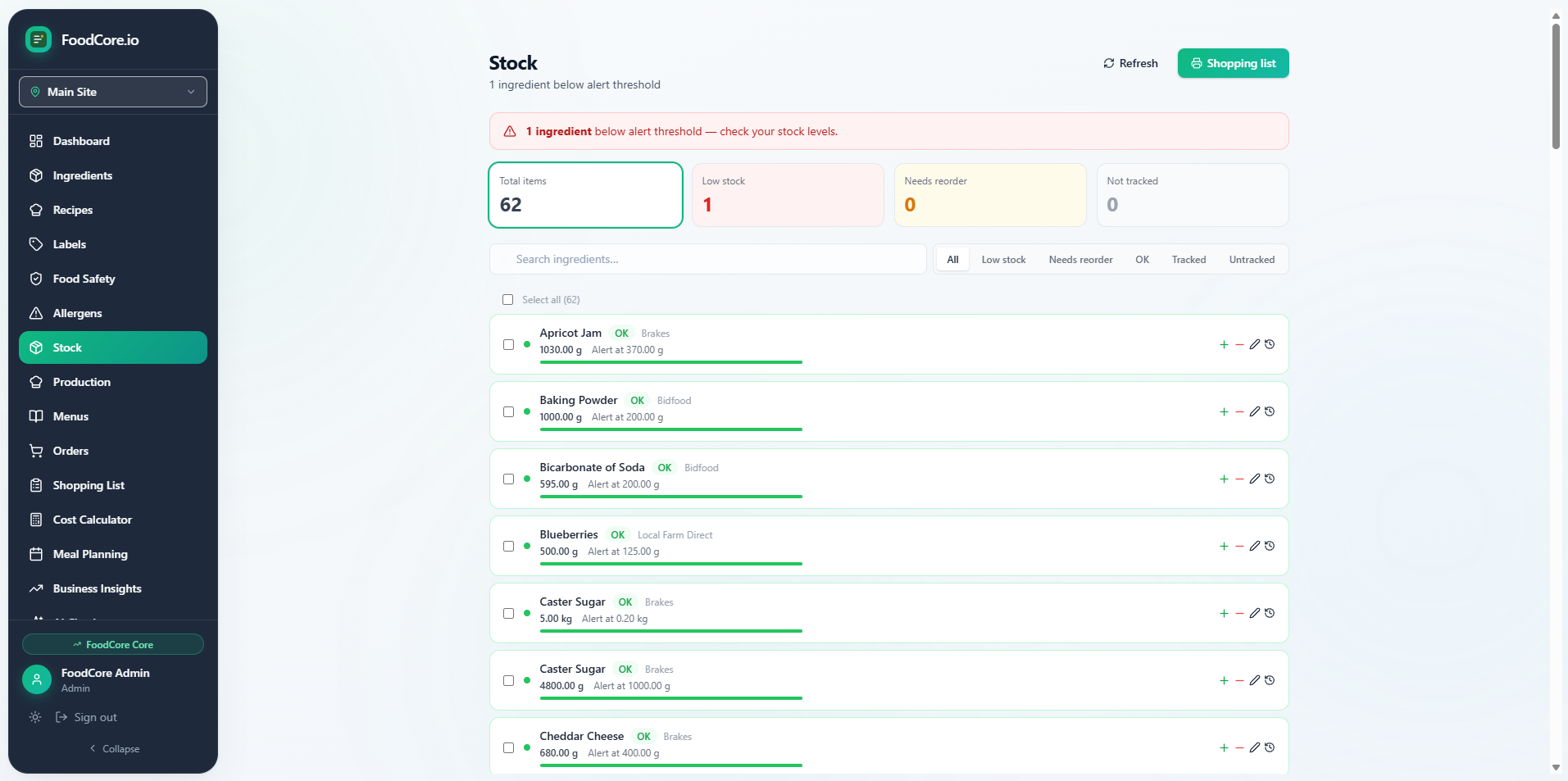
FoodCore stock management — live stock levels connected to your recipes and production
What connected inventory tracking looks like
The alternative to a spreadsheet isn't a more complicated spreadsheet. It's a system where inventory is connected to your recipes and your production — so stock levels update automatically when you produce batches, rather than requiring manual entry every time something changes.
In FoodCore, your ingredient library is connected to your recipes. When you log a production run — say, 48 sourdough loaves — FoodCore calculates the ingredient quantities used based on your recipe and deducts them from stock automatically. You don't update a stock spreadsheet. You log what you made, and the stock follows.
The same connection works in reverse for ordering. FoodCore knows your current stock levels and your production plan. It calculates what you need to order — the gap between what you have and what you need — and generates a shopping list filtered by supplier. No manual calculation. No cross-referencing recipes against stock levels.
The batch multiplication problem — solved
This is the specific spreadsheet failure that causes the most confusion in small food businesses. You scale a recipe for a larger batch, but your stock depletion calculation is still based on the original recipe size. The numbers drift apart and you lose confidence in the data.
FoodCore handles scaling automatically. When you log a production run of 96 croissants using a recipe that serves 12, FoodCore scales the ingredient quantities by 8 and deducts the correct amounts from stock. The scaling is built into the production logging — you enter what you made, FoodCore calculates what was used.
Getting stock levels accurate from the start
The hardest part of moving from a spreadsheet to a connected inventory system is the initial stock count. You need accurate opening stock levels for the system to work. Here's the practical approach:
- Do a stock count on a quiet day — count everything and enter current quantities in FoodCore. It doesn't need to be perfect; it needs to be a reasonable starting point.
- Log deliveries as they come in — when a delivery arrives, add the quantities to FoodCore. This keeps stock levels current without a weekly manual update.
- Log production runs — when you make a batch, log it in FoodCore. Stock depletes automatically based on your recipe quantities.
- Do a weekly spot check — pick 5–10 ingredients and check the physical stock against FoodCore. Adjust for any discrepancies. Over time, the system becomes more accurate as you catch and correct drift.
The goal isn't perfect inventory accuracy from day one. It's a system that's accurate enough to be useful — one that tells you roughly what you have, what you need to order, and what a week's production will cost. That's already a significant improvement over a spreadsheet that was last updated three weeks ago.
What inventory tracking connects to
The reason connected inventory tracking is more valuable than a standalone stock spreadsheet is what it connects to. In FoodCore, your stock levels are connected to:
- Your recipes — so production logging automatically depletes the right ingredients in the right quantities
- Your shopping lists — so order quantities are calculated from the gap between current stock and what you need for your production plan
- Your costs — so your recipe costs reflect current ingredient prices, not what things cost when you last updated the spreadsheet
- Your allergen data — so if you switch to a different supplier for an ingredient, the allergen information updates across every recipe that uses it
This is the difference between a stock spreadsheet and a connected inventory system. A spreadsheet tells you what you have. A connected system tells you what you have, what you need, what it costs, and what's in it — all from the same data.
When spreadsheets are still fine
If you make one or two products, buy from one supplier, and produce the same batch size every week, a spreadsheet is probably sufficient. The overhead of setting up a connected system isn't worth it at that scale.
But if you have more than 10 products, buy from multiple suppliers, scale recipes for different batch sizes, or need to track allergens accurately — a connected system will save you time and reduce errors. The question isn't whether to switch eventually. It's when the pain of the spreadsheet exceeds the effort of switching.