What Is Recipe Management Software and Do I Really Need It?
Recipe management software gets recommended a lot. But for a small food business with 15 recipes and a working spreadsheet, is it actually worth switching? Here's an honest answer — including when it's not worth it. FoodCore’s recipe management features cover exactly this.
What recipe management software actually is
Recipe management software is a system that stores your recipes alongside the data that makes them useful: ingredient costs, allergen information, nutritional data, and food labels. The key word is alongside — not in separate files, but in the same place, connected to each other. See our guide to recipe management software.
That connection is what makes it different from a recipe folder or a spreadsheet. In a spreadsheet, your recipe is a list of ingredients and quantities. Your costs are in a separate tab. Your allergens are in another file. Your label is a Word document. Change one thing and you have to update everything else manually.
In recipe management software, change one thing and everything updates. Update a supplier price and every recipe that uses that ingredient recalculates. Add an allergen to an ingredient and every recipe and label that contains it updates. Scale a recipe and the costs, shopping list, and label all scale with it.
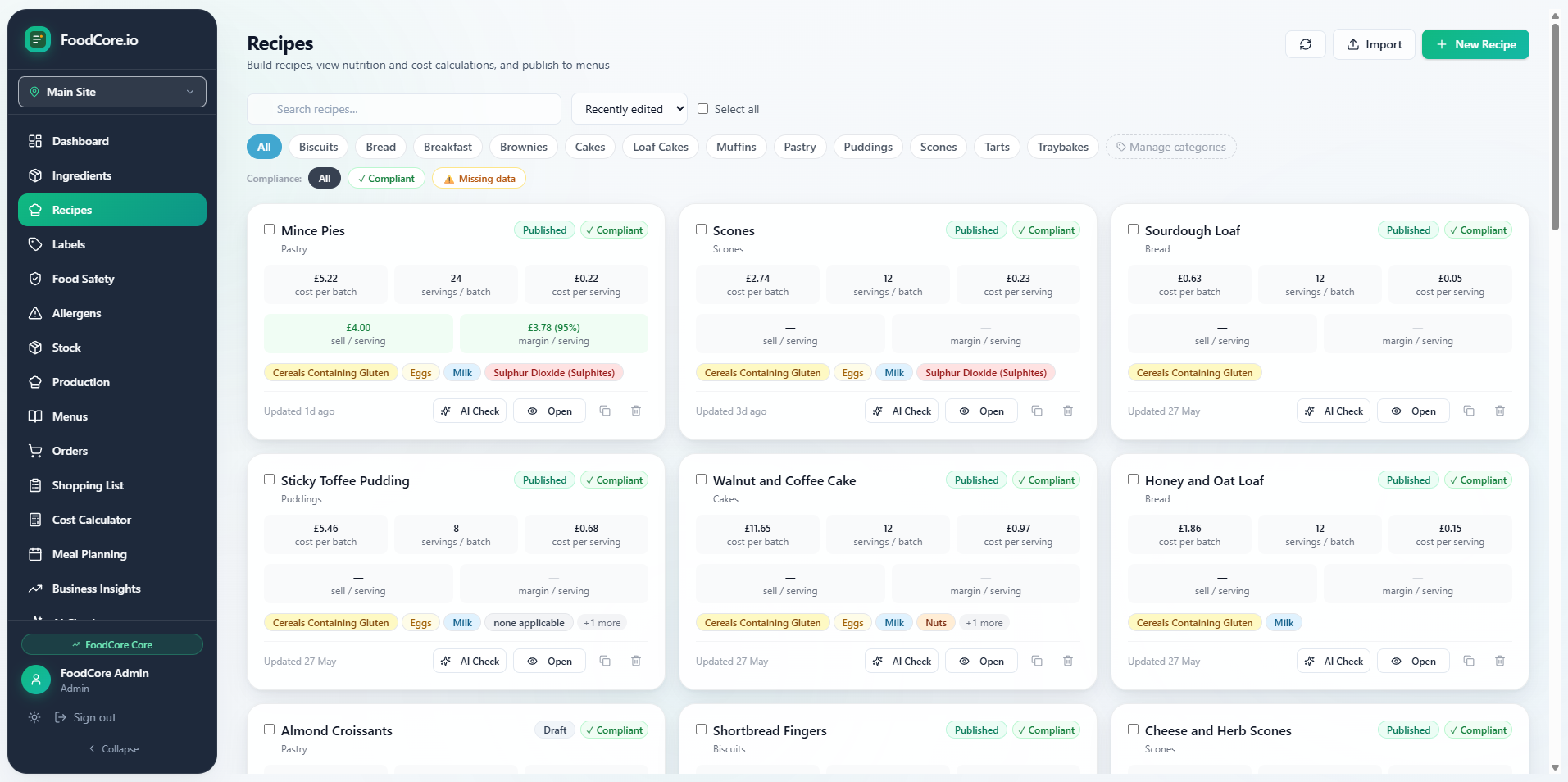
FoodCore recipe library — costs and allergen status visible at a glance
Do you actually need it?
The honest answer: it depends on how many recipes you have and how often things change.
If you have five recipes that never change and you sell at one market a month, a spreadsheet is probably fine. The overhead of setting up software isn't worth it for that scale.
But most small food businesses aren't in that situation. They have 15–30 recipes. Ingredient prices change regularly. They add new products seasonally. They have to maintain compliant food labels for every pre-packed product. They need to know what to order before each production run. At that scale, the fragmentation of managing everything in separate files starts to cost real time — and real money.
The misconception: "I only have 15 recipes, I don't need software"
This is the most common objection we hear. But 15 recipes with changing costs, allergen requirements, and Natasha's Law labels is exactly the situation recipe management software is built for. The value isn't in the number of recipes — it's in the connections between them. One ingredient used across 10 recipes means one price update should flow through 10 recipes automatically. Without software, that's 10 manual updates.
The misconception: "Setup will take weeks"
Most small food businesses are up and running in FoodCore in an afternoon. Barcode scanning means you can import packaged ingredients in seconds rather than typing them out. Once your ingredient library is built, adding recipes is straightforward. The barrier to getting started is much lower than people expect.
The misconception: "It's just a digital version of my spreadsheet"
This is the most important one to correct. Recipe management software isn't a better spreadsheet — it's a replacement for four disconnected tools. The value isn't digitising what you already have. It's replacing a folder of Word documents, two spreadsheets, and a Canva template with one system where everything is connected and everything stays in sync.
Recipe detail in FoodCore — costs, allergens, and label all in one view
What recipe management software should include
Not all recipe management software is the same. For a small food business, the minimum useful feature set is:
- Automatic cost calculation — cost per portion calculated from ingredient prices, updating automatically when prices change
- Allergen tracking — all 14 UK allergens tracked at the ingredient level and carried through to every recipe
- Food label generation — Natasha's Law compliant PPDS labels generated from recipe data, not from a separate template
- Recipe scaling — scale any recipe to any number of portions with costs and quantities recalculating automatically
- Shopping list generation — ingredient quantities calculated from your production plan, filtered by supplier
If a tool does costing but not labels, or labels but not allergen tracking, you're back to managing multiple disconnected systems. The value is in having everything in one place.
What it costs — and what it saves
Enterprise recipe management software — Kafoodle, Nutritics, and similar platforms — is quoted per organisation rather than publicly priced, and is built for large catering operations. FoodCore runs from £25/month, with the £65/month Core plan including every feature. No per-seat fees.
The more relevant number is what manual management costs. If you spend 30–40 hours a month on recipe admin — updating costs, maintaining labels, writing shopping lists — and you value your time at even £15/hour, that's £450–£600/month of admin overhead. FoodCore at £65/month is a straightforward trade.
The moment most customers say FoodCore is worth it: the first time they generate a supplier-filtered shopping list for a full week's production in a single click. No manual totalling. No cross-referencing recipes. Seconds, not an hour.